peektea v0.1.0
Released 2026-06-06
Summary
First release of peektea — a minimal terminal file browser built with Bubble Tea. Browse your filesystem with vim keys, open files in your configured programs, peek at file contents in a split panel, filter and sort entries, and get inline image previews via chafa. Works on Linux, macOS, and WSL.
What's new
File browser
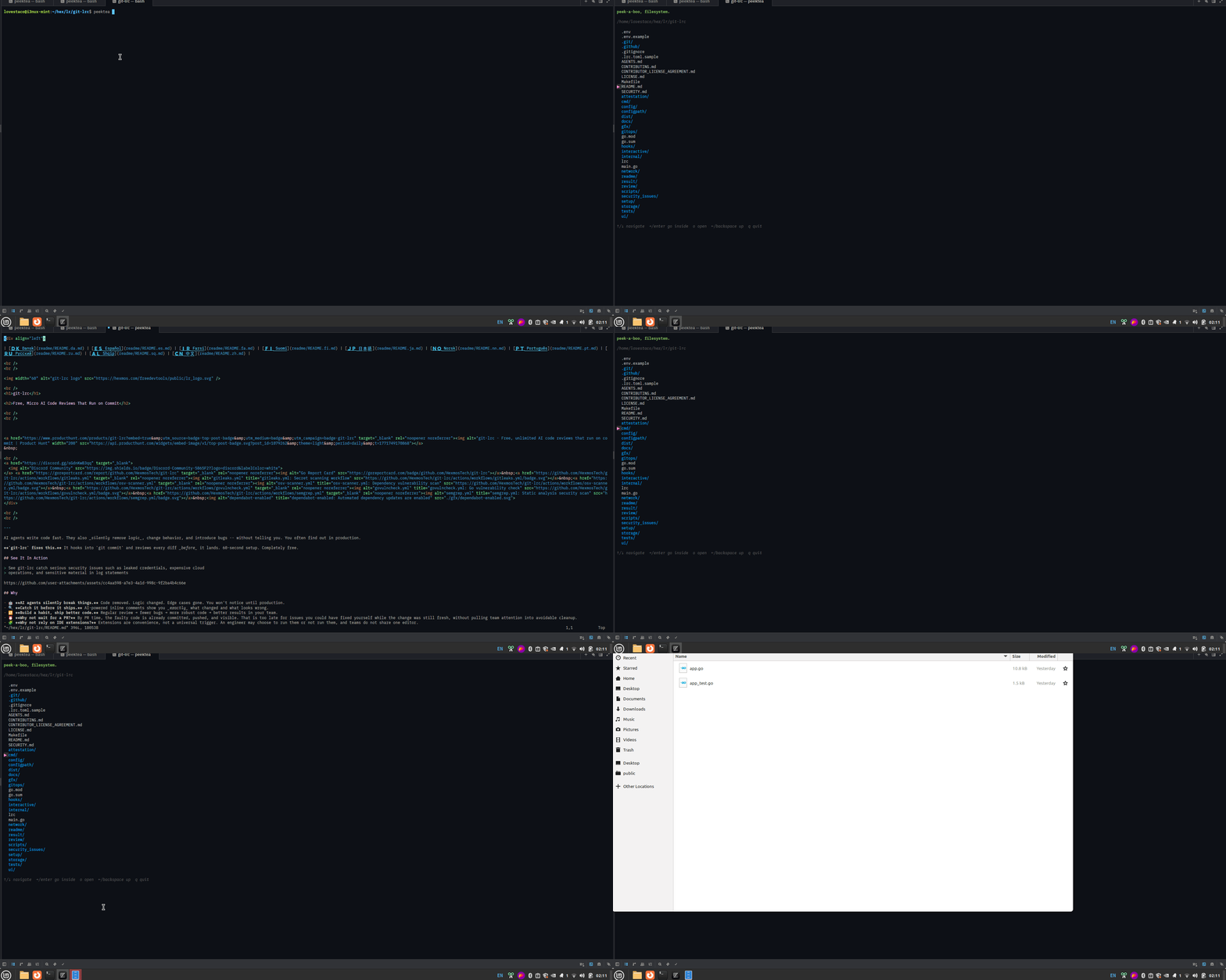
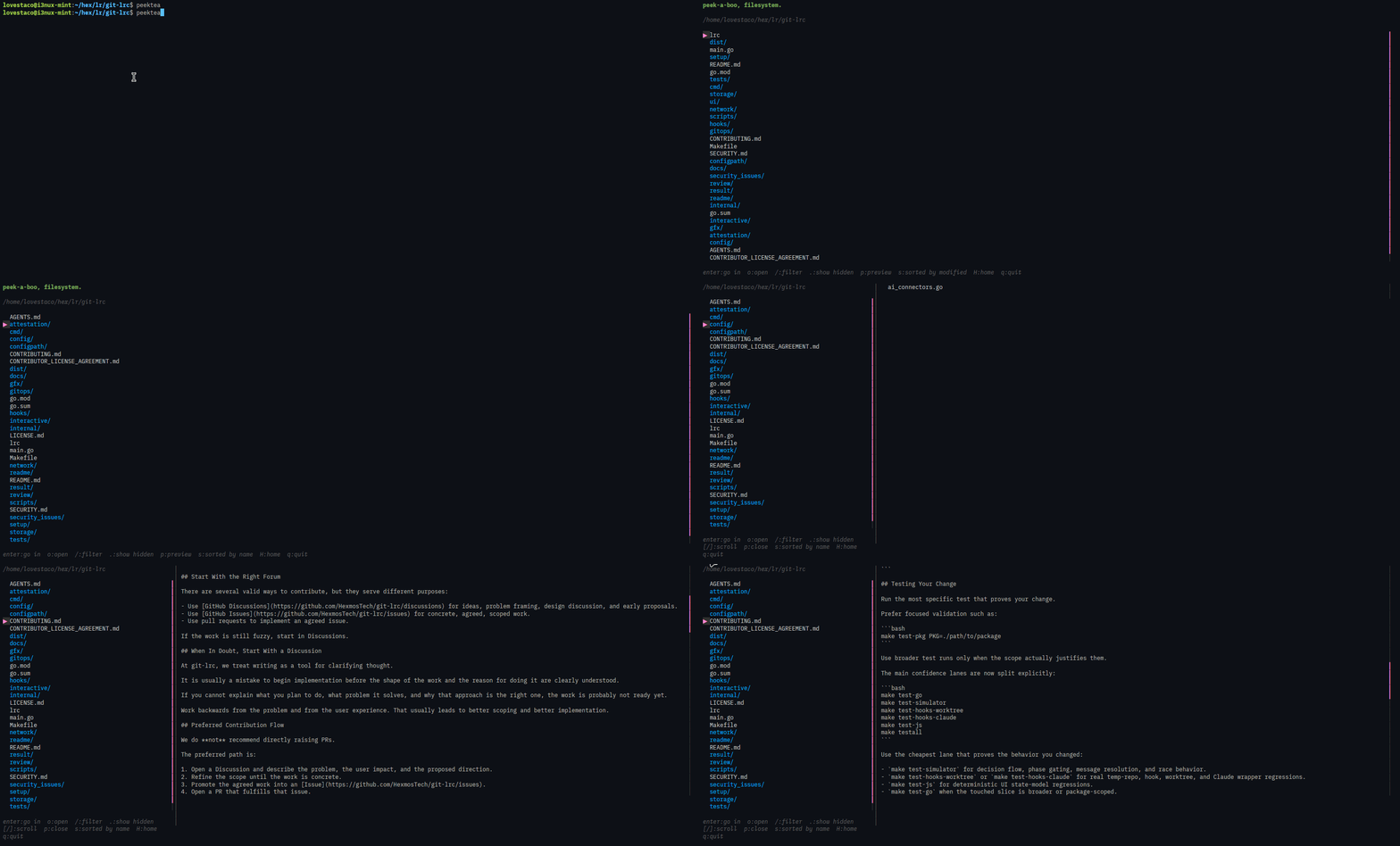
Navigate with arrow keys or vim keys (h/j/k/l). Press enter or → to go inside a directory, ←/backspace to go back, H to jump home. Press o to open the selected file or directory in your configured program — terminal apps (vim, nvim, nano) take over the screen cleanly; GUI apps (nautilus, feh) launch in the background.
Preview panel
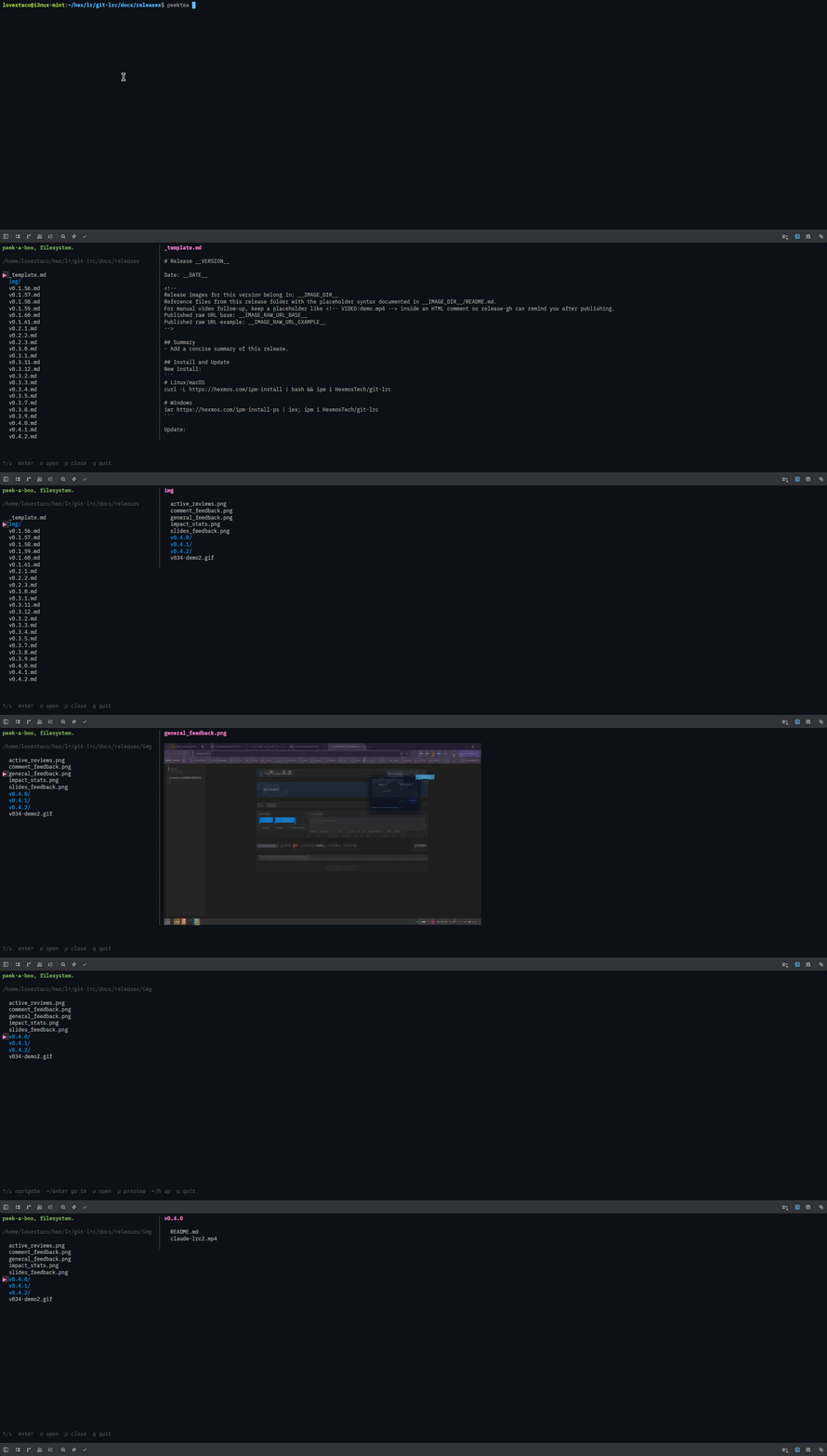
Press p to open a side-by-side preview. Text files render with syntax highlighting if bat is installed, plain text otherwise. Images render inline via chafa. Directories show their contents. Binary files get a [binary file] notice. Use [ and ] to scroll through long files.
Filter and hidden files
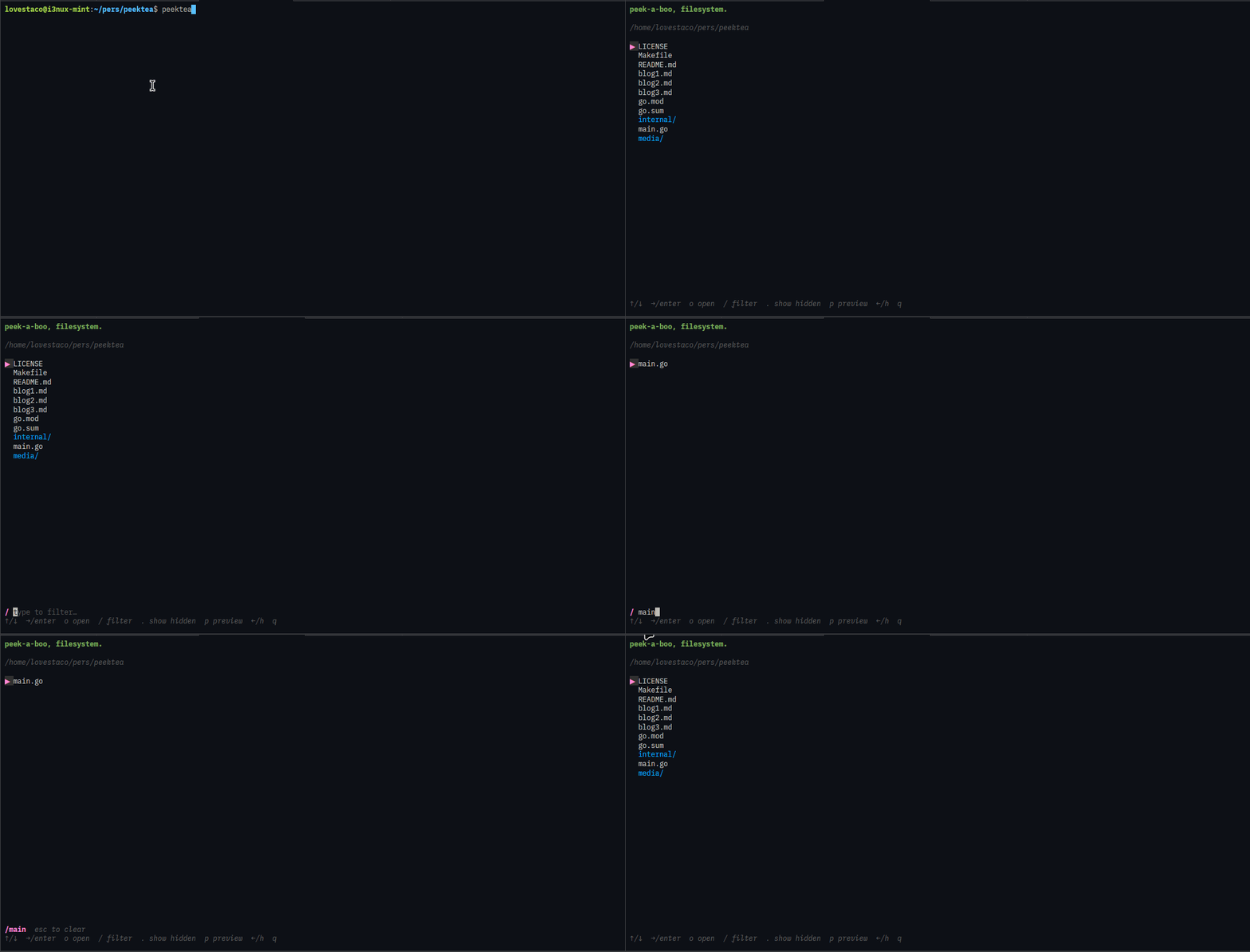
Press / to filter entries as you type — the list narrows in real time. Press esc to clear. Press . to toggle dotfiles on and off. Both filters compose.
Sort
Press s to cycle sort mode: name → size (largest first) → modified (newest first). The current mode is always shown in the hint bar.
Scrollbars
Both the file list and the preview panel show a │/┃ scrollbar when there is more content than fits on screen. The file list viewport scrolls with the cursor.
WSL support
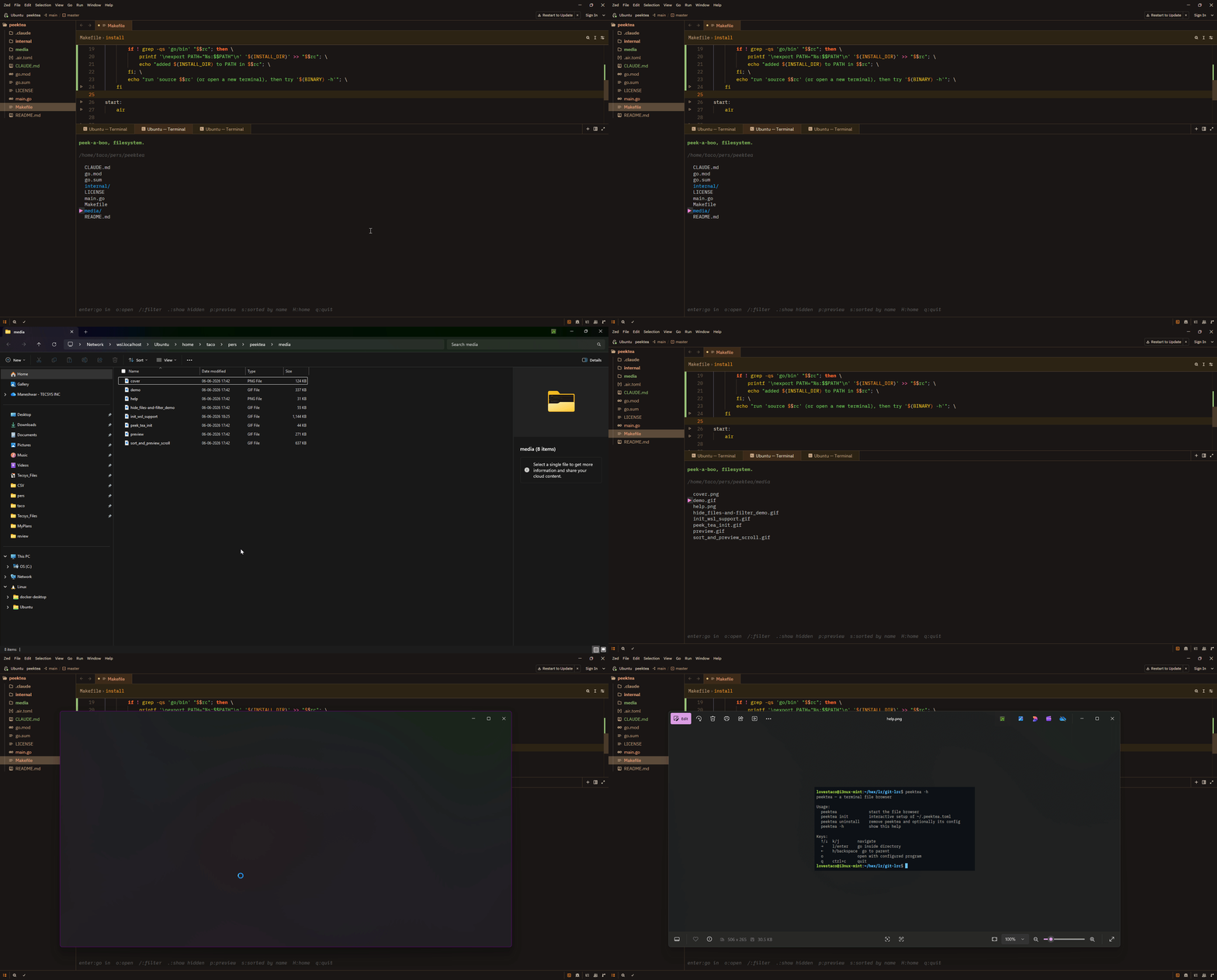
peektea detects WSL automatically and routes file opens through wslview (from wslu) or explorer.exe. Linux paths are converted to Windows paths via wslpath.
peektea init
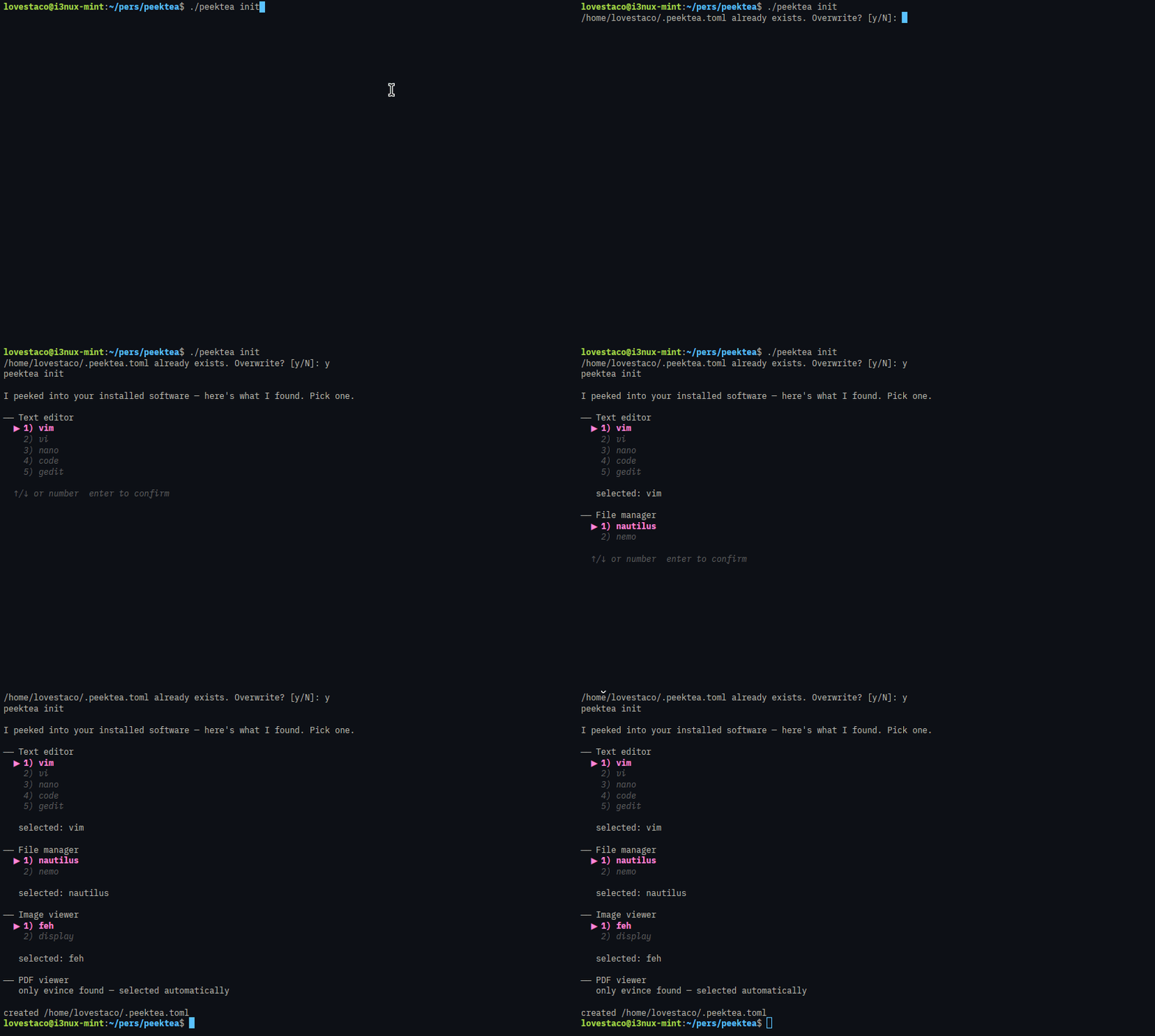
Interactive setup that detects your installed software and writes ~/.peektea.toml. If chafa isn't installed, init offers to install it on the spot using your system package manager. Declining the overwrite prompt keeps your existing config and continues to the chafa check — re-run peektea init any time just to install extras.
Install
Download a binary — grab the right archive from the assets below:
| Platform | File |
|---|---|
| Linux x86-64 | peektea_v0.1.0_linux_amd64.tar.gz |
| Linux arm64 | peektea_v0.1.0_linux_arm64.tar.gz |
| macOS x86-64 | peektea_v0.1.0_darwin_amd64.tar.gz |
| macOS Apple Silicon | peektea_v0.1.0_darwin_arm64.tar.gz |
With Go:
From source:
Keys
| Key | Action |
|---|---|
↑/↓ k/j |
navigate |
→ l enter |
go inside directory |
← h backspace |
go to parent |
H |
go to home directory |
o |
open with configured program |
p |
toggle preview panel |
[ / ] |
scroll preview |
/ |
filter as you type |
. |
toggle hidden files |
s |
cycle sort: name → size → modified |
q ctrl+c |
quit |
Verification
Known issues
None known. File an issue at github.com/lovestaco/peektea/issues.