Usage
Start peektea in the current working directory:
That's it — no flags needed for the basics. From here, everything is keyboard-driven:
-
Move around the filesystem, open files, and quit — all the core bindings in one table.
-
Press
oto launch the program configured for an entry's extension — terminal apps take over, GUI apps run in the background. -
Press
/and narrow the list as you type, matching entries in real time. -
Press
.to toggle dotfiles on and off — composes with filtering so you can search either way. -
Press
pfor a side-by-side preview — text with syntax highlighting, images rendered inline, directory listings, and binary detection. -
Press
sto cycle between name, size, and modified-time order. -
Press
xto cut, navigate to the destination, pressvto paste — move anything without typing paths. -
Press
yto copy a file's path, orYto copy its contents directly to the clipboard.
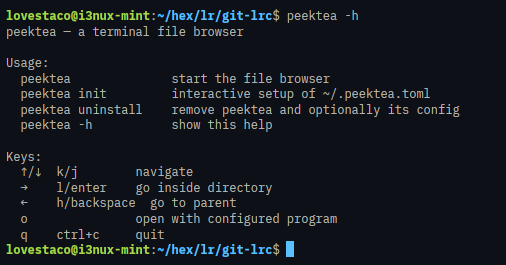
See peektea -h for the built-in help screen: