Preview panel
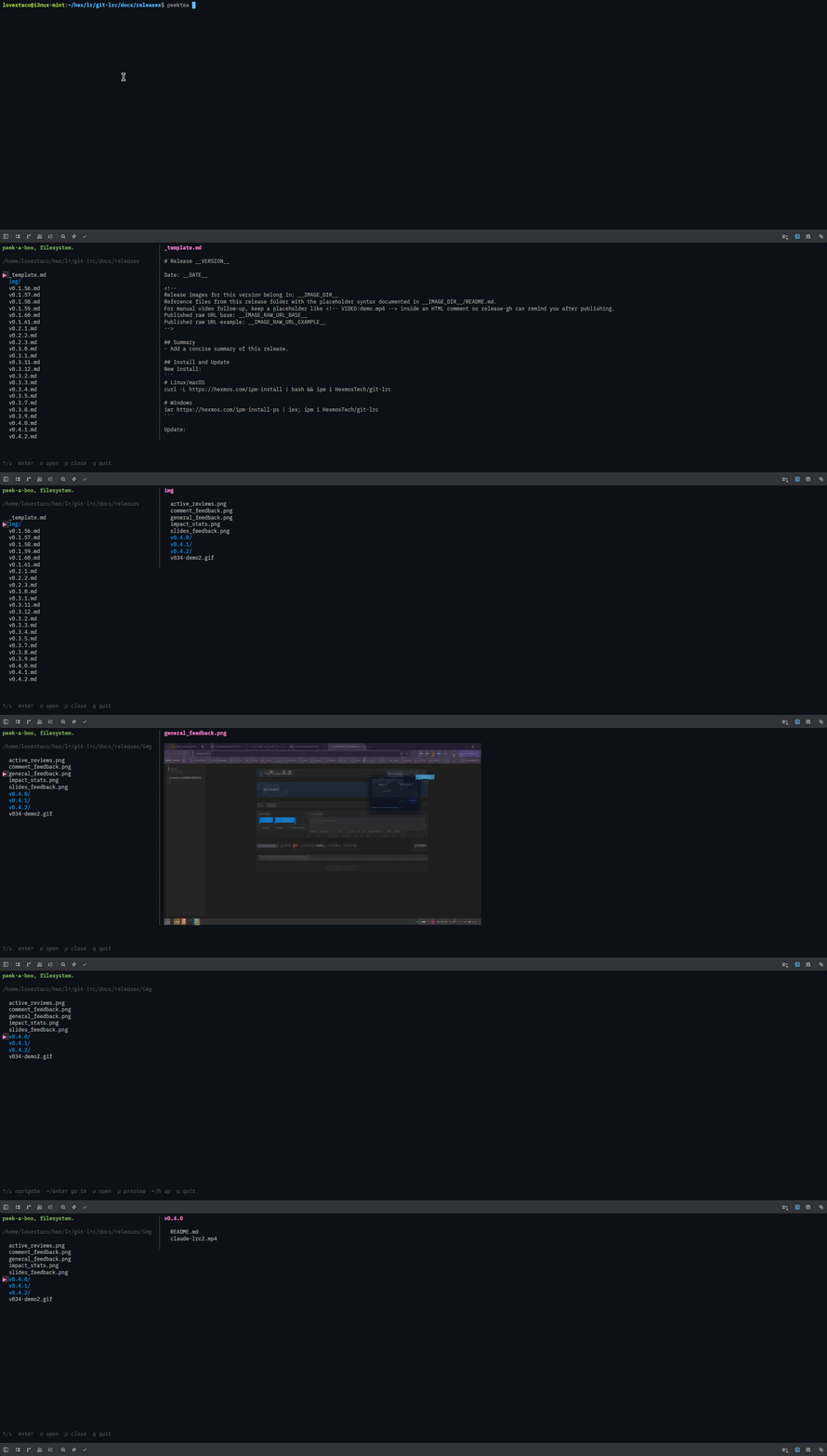
Press p to open a side-by-side preview panel. Press p again to close it.
| Content type | What you see |
|---|---|
| Text files | Rendered with syntax highlighting via bat if installed, plain text otherwise |
| Images | Rendered directly in the terminal via chafa |
| Directories | A listing of the folder's contents |
| Binary files | A [binary file] notice |
Use [ and ] to scroll through the preview. Long files load up to 500 lines so you can page through without leaving the browser.
The left panel auto-widens to fit the longest filename in the current directory.
Missing image previews?
peektea init checks whether chafa is installed and tells you how to get it if it isn't — see Configuration.