EarsUp v1.0.7
Released 2026-11-10
Summary
The first public release of EarsUp. It is a Chrome extension that puts a play button next to every heading and reads that section aloud. The spoken word lights up as it goes. It uses Chrome's own voices by default, or Google Gemini voices with your own key.
What's new
Play buttons on every heading
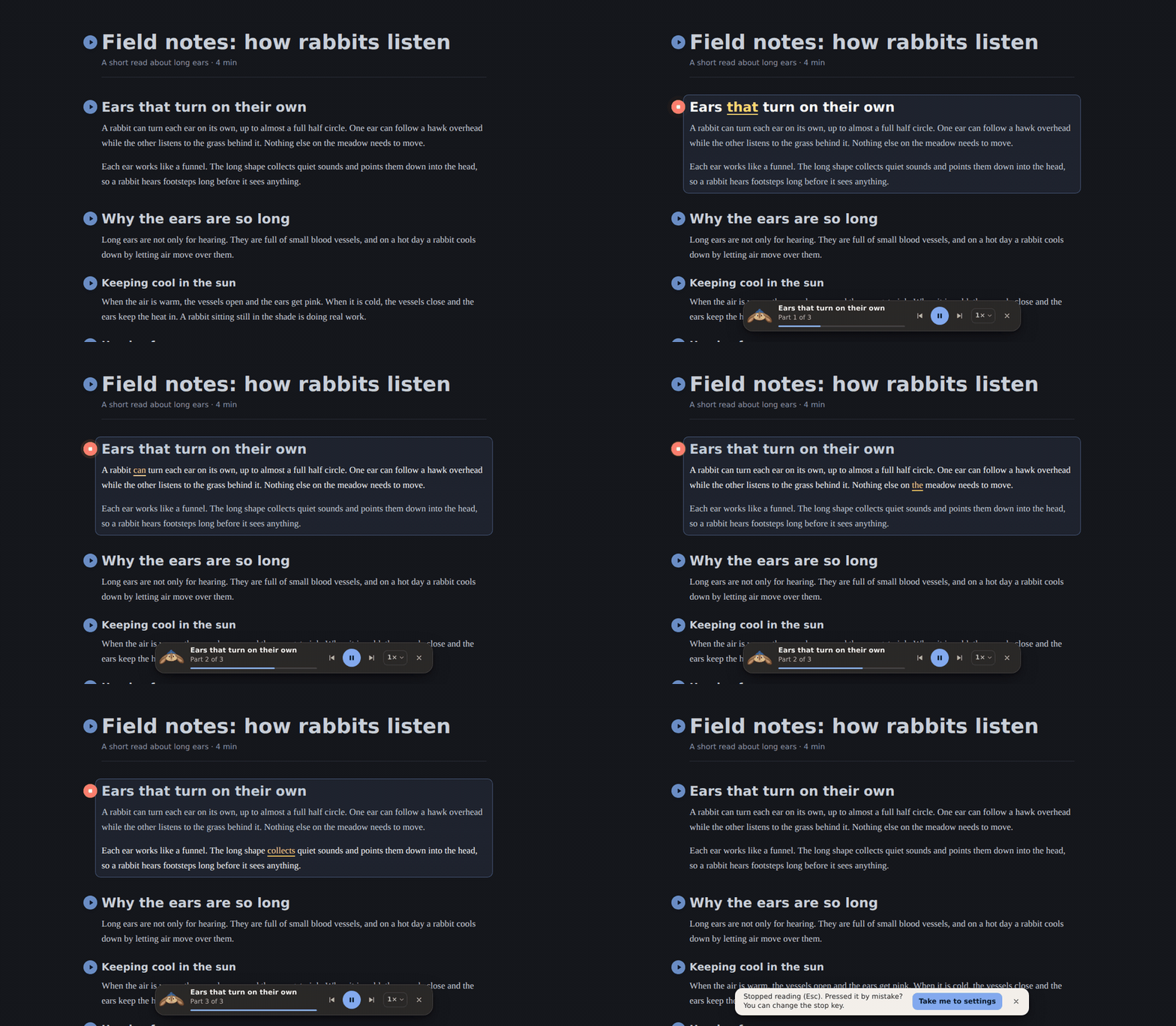
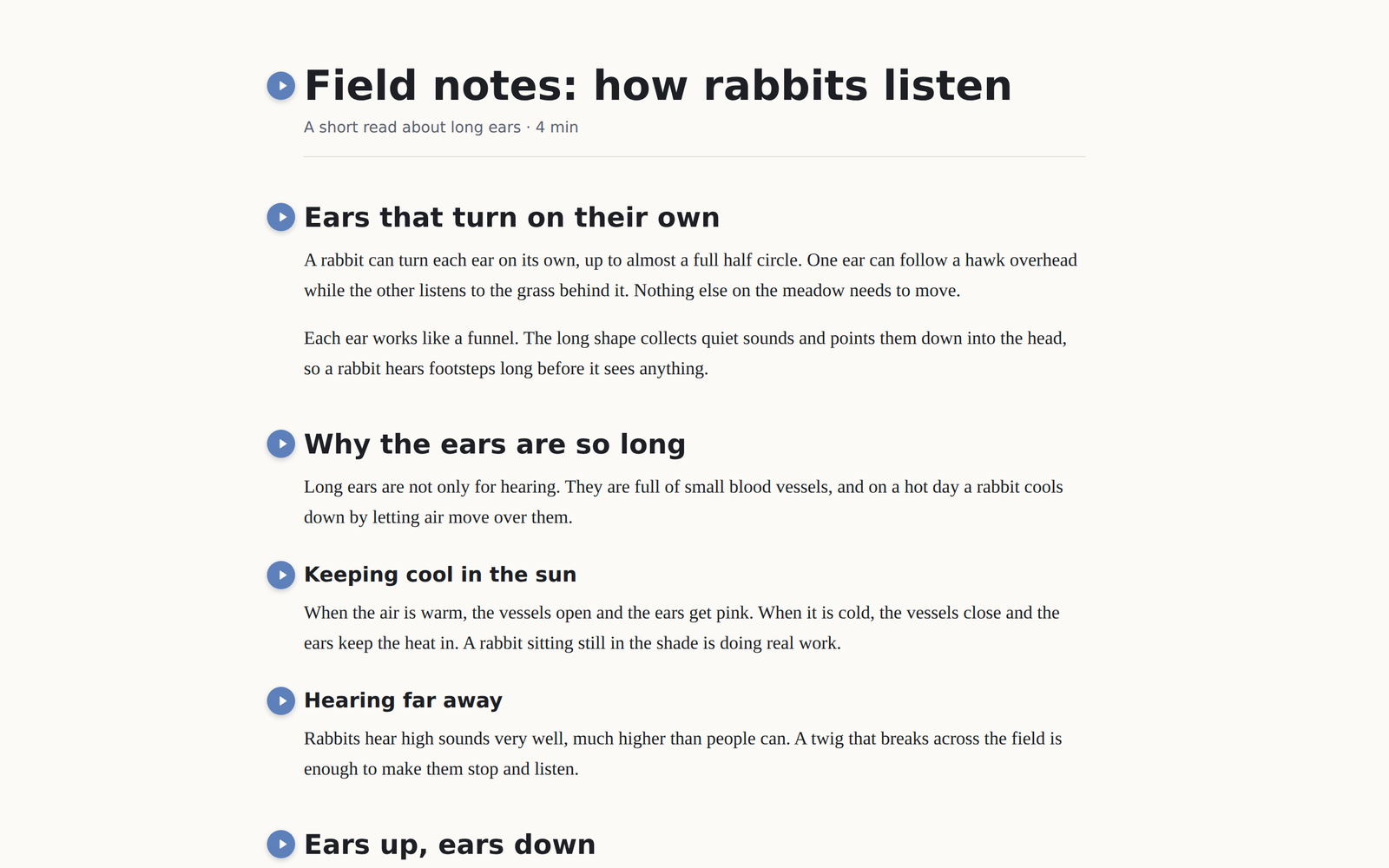
A play button sits next to H1–H4 headings on any site, including pages inside frames. Press one and EarsUp reads the heading and everything under it, until the next heading of the same level. The button turns red and becomes stop.
Floating player
Pause, go back or forward one part, choose the speed (0.5× to 2.5×), or close. Drag it anywhere; double-click to put it back.
| Key | Action |
|---|---|
Space |
Pause or resume |
Esc |
Stop. A message offers Take me to settings in case you pressed it by mistake. |
Alt+Shift+P |
Pause or resume, from anywhere |
Alt+Shift+S |
Stop, from anywhere |
The stop key can be Esc, Shift+Esc, or Off. The pause key can be Space or Off.
Follow along
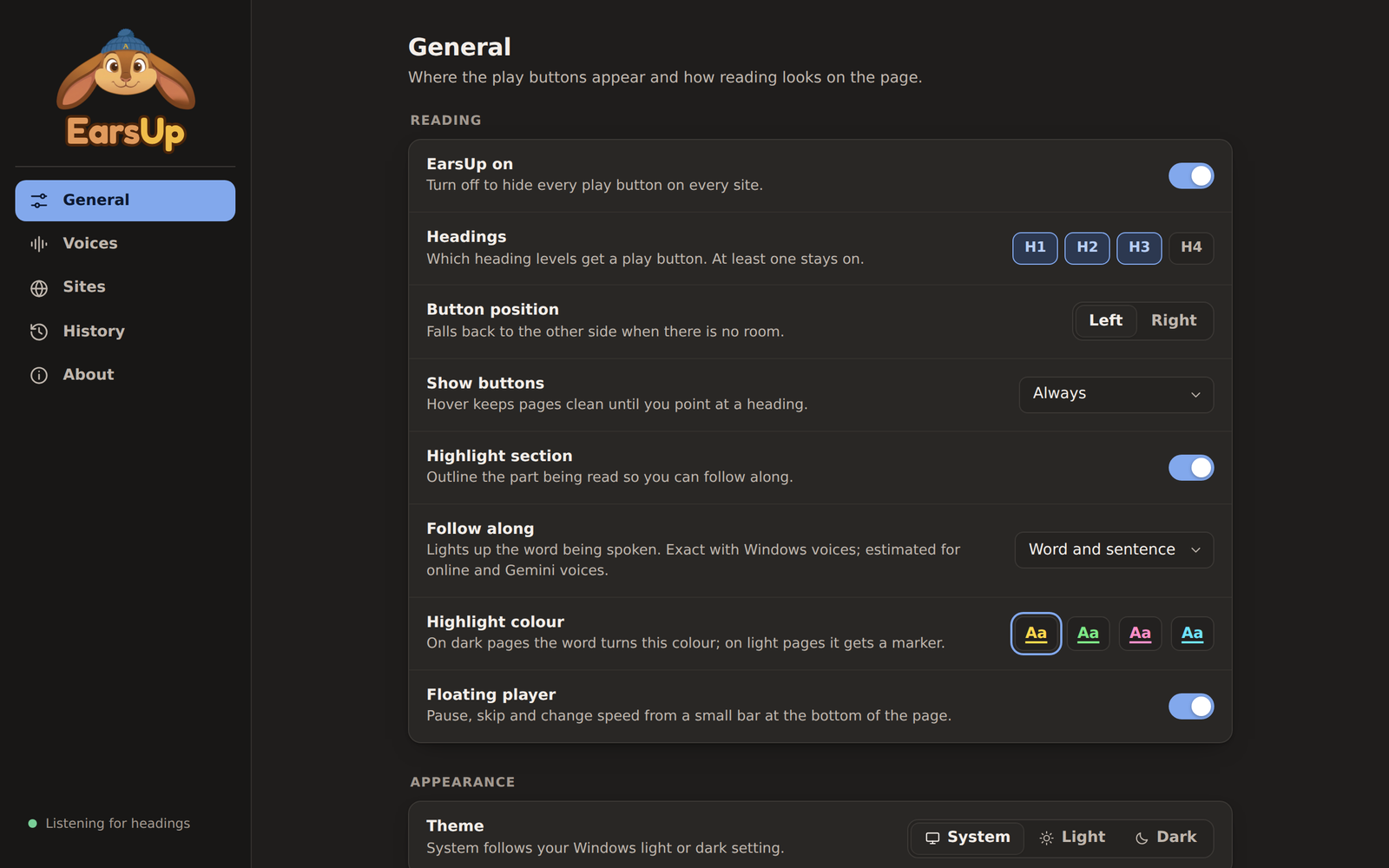
The sentence being read goes bright and the spoken word turns yellow. On light pages they get a marker instead. Choose yellow, green, pink, or cyan, or turn it off.

Voices
- Chrome voices: search, filter by language, and preview. Nothing leaves your computer.
- Gemini voices: 30 voices, an editable model, and an optional reading style. Uses your own API key, stored in this browser only.
History
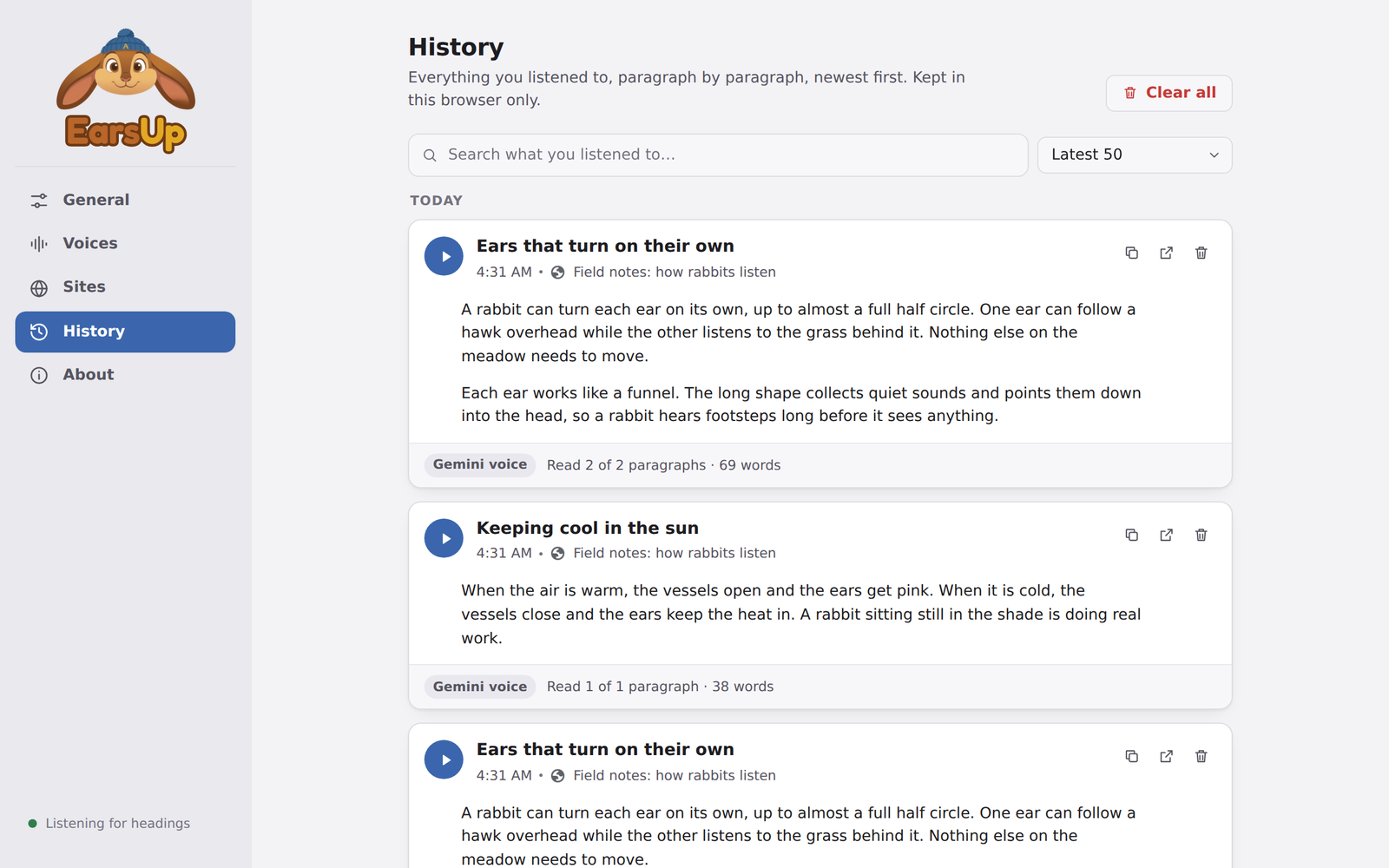
Every section you listen to, paragraph by paragraph. Search it, play it again, copy a paragraph, or open the page at that paragraph. Keep 10, 25, 50, 100, or all entries.
Settings in the side panel
Click the toolbar icon to open the settings next to the page. Light and dark themes, a tooltip on every control, and site rules that show exactly what you typed, with the site's icon.
Fixes
- With Gemini voices, the player no longer says "Fetching Gemini voice…" for the whole part. It now shows "Part X of Y" once the audio starts.
Install
- Download
earsup-v1.0.7.zipfrom the assets below. - Extract it to a folder you will keep.
- Open
chrome://extensions, turn on Developer mode, and click Load unpacked. - Select the extracted folder (the one with
manifest.json).
Updating? Extract over the same folder, then click the reload arrow on the EarsUp card. Your settings and history stay.
Full guide: Installation
Verification
Open the EarsUp settings and go to About. The version should read v1.0.7.
Known issues
- "Open at paragraph" links in History cannot scroll to text inside a frame. The page opens at the top.
- With online Chrome voices and Gemini voices, the highlighted word is estimated, so it can run a little ahead or behind.
- Not in the Chrome Web Store yet. Chrome may show a "developer mode extensions" notice at start-up.