Play buttons
EarsUp adds a round play button next to each heading on the page. The buttons are drawn on top of the page, so the page itself is not changed. This keeps them safe on rich editors and web apps.
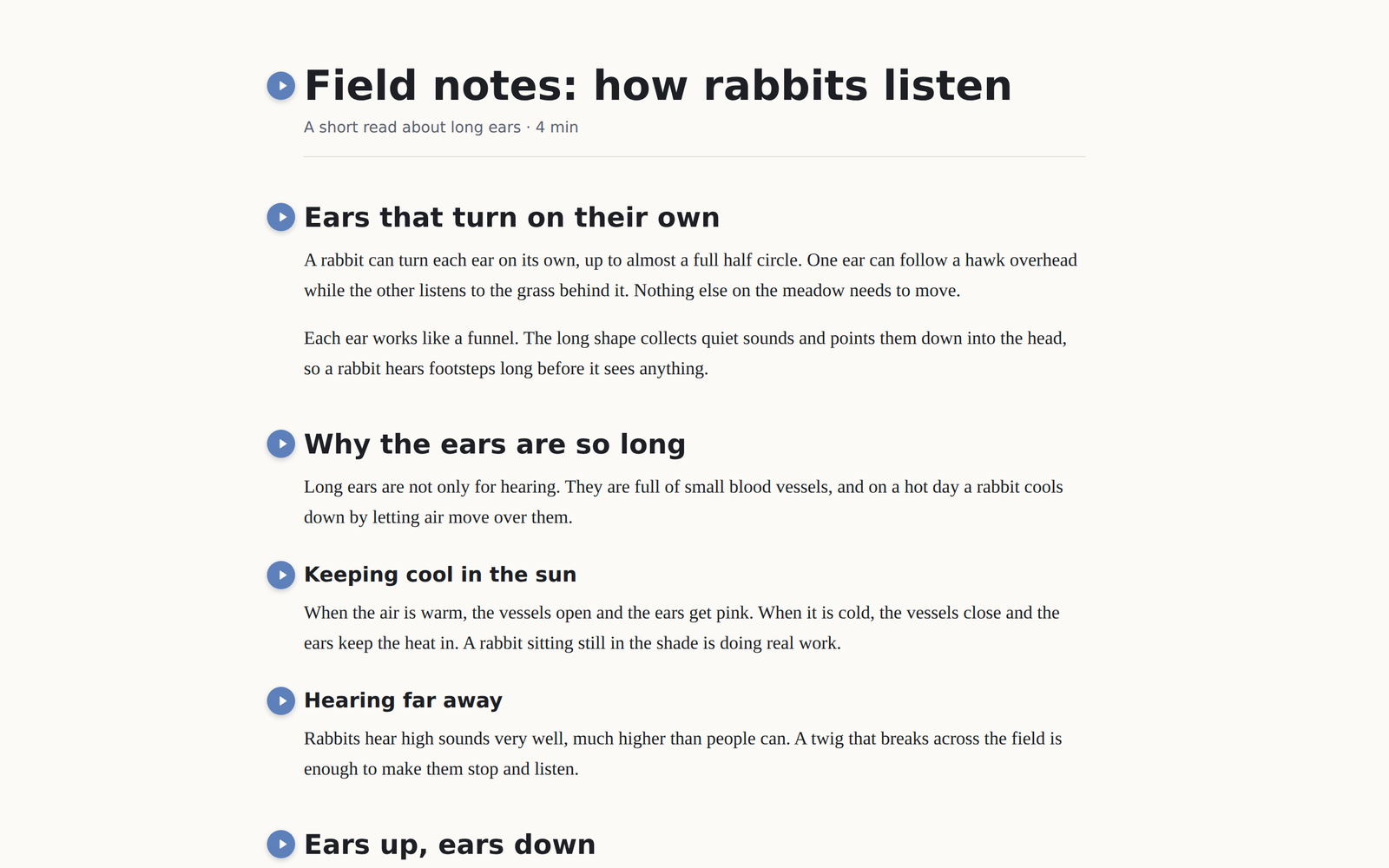
What gets read
When you press play on a heading, EarsUp reads:
- the heading itself, then
- everything below it, until the next heading of the same level or higher.
So play on an H2 reads its H3 sub-sections too, and stops at the next H2. Play on an H3 reads only that H3.
EarsUp skips text that you cannot see, and skips code like scripts, buttons, and form fields.
Play becomes stop
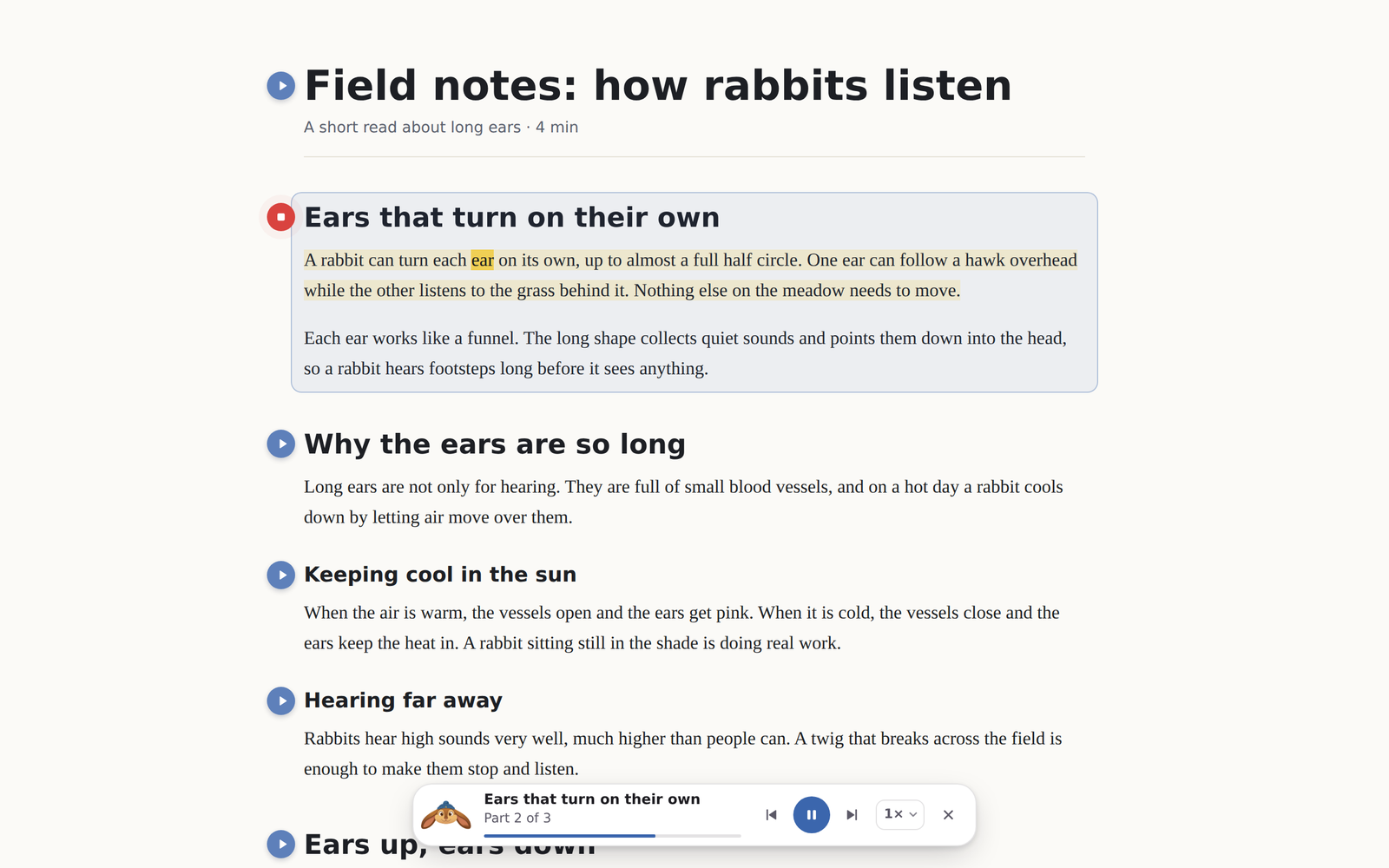
While a section is being read, its button turns red and shows a stop square. Press it again to stop. If you press play on a different heading, EarsUp stops the current one and starts the new one.
Settings
All of these are in General → Reading in the settings panel.
| Setting | Options | Default |
|---|---|---|
| EarsUp on | On / Off. Off hides every button on every site. | On |
| Headings | Any of H1, H2, H3, H4. At least one stays on. | H1, H2, H3 |
| Button position | Left or right of the heading. Falls back to the other side when there is no room. | Left |
| Show buttons | Always, or only when you point at a heading. | Always |
| Highlight section | Outline the part being read. | On |
Pages inside frames
Some apps show their content inside a frame (an iframe). EarsUp runs inside frames too, so headings there get buttons as well. Keys like Space and Esc work no matter which frame has focus.