Follow along
While EarsUp reads, it lights up the sentence and the word being spoken, so your eyes can follow your ears.
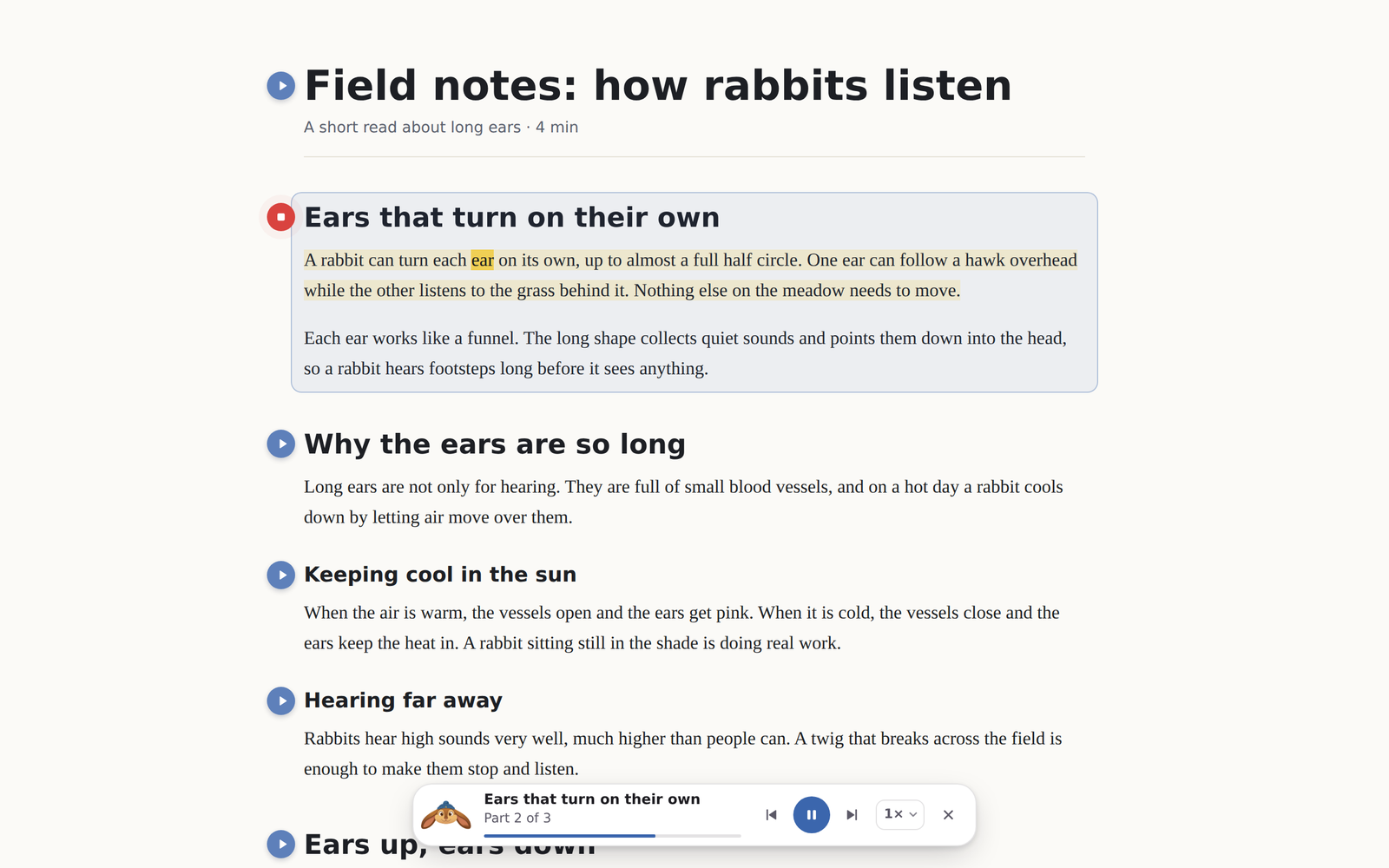

How it looks
EarsUp checks if the page is light or dark:
- Dark pages: the sentence turns white and the spoken word turns your highlight colour, with an underline.
- Light pages: the sentence gets a soft tint and the spoken word gets a marker in your highlight colour.
The highlight uses the browser's CSS Custom Highlight API. The page's text and layout are never changed, and the highlight goes away as soon as reading stops.
Settings
In General → Reading:
| Setting | Options | Default |
|---|---|---|
| Follow along | Off, Word only, Word and sentence | Word and sentence |
| Highlight colour | Yellow, green, pink, cyan | Yellow |
How exact is it?
- Windows voices in Chrome tell EarsUp each word as it is spoken, so the highlight is exact.
- Online Chrome voices (names that start with "Google") and Gemini voices do not. EarsUp estimates the word from the time and the length of the text. It is close, but it can run a little ahead or behind.