Keys & shortcuts
On the page
These work while EarsUp is reading, on the page you are listening to.
| Key | Action |
|---|---|
| Space | Pause or resume |
| Esc | Stop reading and close the player |
Space never fires while you are typing in a text box. When EarsUp is not reading, Space scrolls the page as usual.
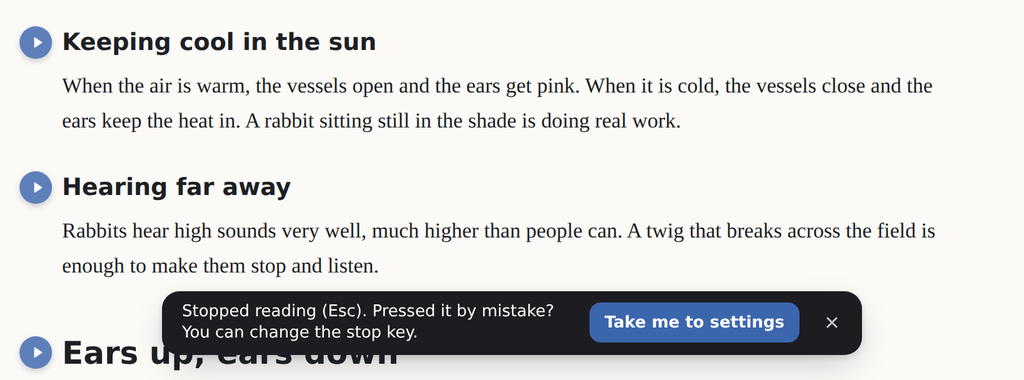
Stopped by mistake?
When Esc stops reading, a small message appears with a Take me to settings button. If Esc keeps stopping EarsUp when you meant to close something else, change the stop key.
Go to General → Shortcuts:
| Setting | Options | Default |
|---|---|---|
| Stop key | Esc, Shift + Esc, Off | Esc |
| Pause key | Space, Off | Space |
From anywhere
Chrome can also run EarsUp shortcuts when the page does not have focus, for example while you are in the address bar.
| Shortcut | Action |
|---|---|
| Alt+Shift+P | Pause or resume |
| Alt+Shift+S | Stop reading |
To change these, open chrome://extensions/shortcuts, or click Change shortcuts in General → Shortcuts. Chrome manages these keys, so another extension may already use them.